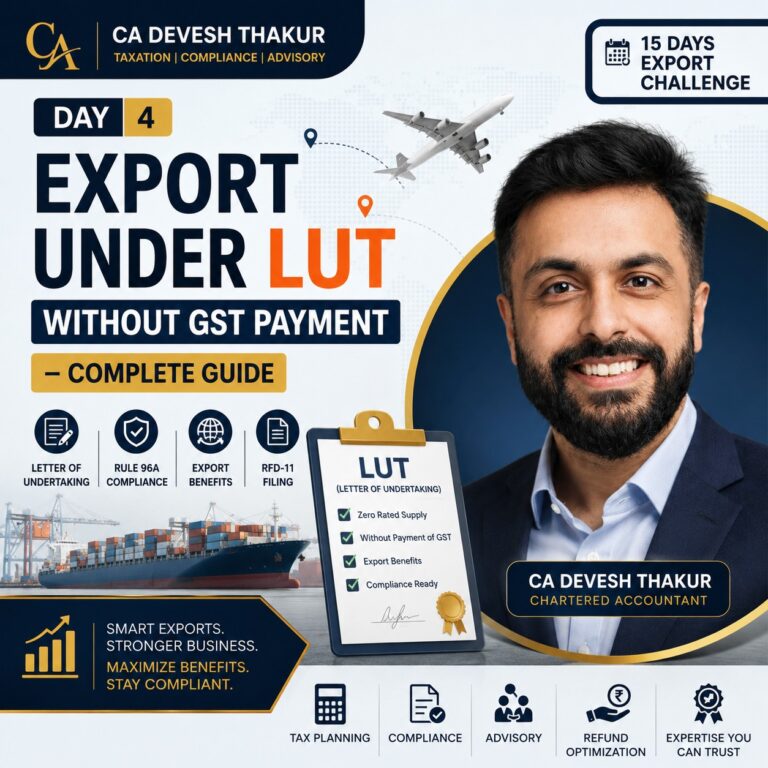
Export Under LUT
Without Payment of GST
Form GST RFD-11 · Rule 96A · RFD-11A Deemed Acceptance · Benefits vs Disadvantages · How to File Online
In Day 2 we learnt the two routes — IGST payment vs LUT. Today we go deep into LUT itself: What is it? How does the flow work? What are the real benefits and risks? And most importantly — How to file it online step by step. This is the practical session every exporter needs.
How Export Under LUT Works
Step-by-Step LUT Export Flow
From export order to ITC refund — the complete journeyReceive Export Order from Foreign Buyer
Exporter receives a Purchase Order (P.O.) from an overseas buyer — e.g. USA, Nepal, UAE. This triggers the export process.
🌍 e.g. USA Buyer → India ExporterFile Form GST RFD-11 on GST Portal
Exporter logs into the GST portal and files the Letter of Undertaking electronically in Form GST RFD-11 before making exports.
📋 Services → User Services → Furnish LUTGST Dept Issues RFD-11A — Deemed Acceptance
Once filed, the system auto-generates Form RFD-11A — an acknowledgment that serves as Deemed Acceptance of the LUT. No manual approval required.
✅ RFD-11A = Proof of Valid LUTSupply Goods / Services Without Paying IGST
Exporter raises export invoice with LUT declaration. IGST = NIL. Goods dispatched through customs after filing Shipping Bill.
📦 Export Invoice carries LUT declarationReport in GSTR-1 (Table 6A)
Export invoices reported in GSTR-1 under Table 6A with Shipping Bill details and port code. GSTR-3B filed showing Zero-Rated Supplies.
📊 GSTR-1 Table 6A → Type: WOPAYCustoms / GST System Verifies Export
ICEGATE verifies Shipping Bill data against GSTR-1. Export General Manifest (EGM) filed by the carrier confirms goods actually left India.
🛃 Invoice ↔ Shipping Bill ↔ ICEGATE matchClaim Refund of Unutilized ITC (if applicable)
Exporter files Form GST RFD-01 to claim refund of accumulated Input Tax Credit on inputs used in exported goods/services.
💰 File GST RFD-01 for ITC refundRFD-11A — Deemed Acceptance of LUT
Handwritten Notes — LUT Flow & Analysis
Day 4 — LUT Export Flow, Benefits vs Disadvantages & Online Filing
Click image to zoom · Download full notes on WhatsApp Channel
LUT — Benefits vs Disadvantages
Benefits of LUT
Why most exporters prefer this route
No IGST Payment on Exports
Biggest advantage — exporters need not pay IGST at the time of export. Improves liquidity immediately.
No Blocking of Working Capital
Funds are not blocked waiting for a refund. Money is available for inventory, salaries and operations.
Easy Online Compliance
Completely online filing through GST portal. Simple, quick and paperless — no physical submission required.
Valid for 1 Full Financial Year
One filing covers all exports for the entire financial year. Once filed, export without IGST throughout the FY.
Encourages Export Promotion
Supports Make-in-India and Atmanirbhar Bharat by making Indian exports cost-competitive globally.
Disadvantages / Conditions
Strict obligations you must comply with
Strict Timeline — Rule 96A
Goods must be exported within 3 months from invoice date. Service payments within 1 year. No flexibility without Commissioner’s extension.
Tax + Interest @ 18% if Violated
If export conditions are not fulfilled — IGST becomes payable along with 18% interest per annum from invoice date till payment.
Annual Renewal Compulsory
A fresh LUT must be filed every financial year. Old LUT does not carry forward. Missing renewal = compliance violation.
Only for Registered Exporters
GST registration is mandatory to avail LUT facility. Unregistered persons or composition dealers cannot use this route.
Prescribed Time Limits Under LUT
Export of Goods
Physical goods sent outside India
Export of Services
Foreign currency receipt from overseas clients
How to File LUT Online — GST Portal
🖥️ LUT Online Filing — Complete Steps
As highlighted in your notes: “How to file LUT online? (Wait till end)” — here’s the complete guide
Login to GST Portal
Go to gst.gov.in → Login with GSTIN credentials (Username + Password + OTP)
Navigate to LUT Section
Services → User Services → Furnish Letter of Undertaking (LUT)
Select Financial Year
Choose the relevant Financial Year for which LUT is to be filed (e.g. 2025-26). LUT is FY-specific.
Fill Declaration & Witness Details
Complete the Form RFD-11 — exporter declarations (3 undertakings) + 2 witness names, occupations & addresses.
Verify Using DSC or EVC
Digitally sign using DSC (Digital Signature Certificate) or verify via EVC (OTP on registered mobile/email).
Submit & Download RFD-11A
Submit the form. Portal immediately generates RFD-11A acknowledgment. Download and save — this is your proof of valid LUT.
Key Takeaways — Day 4
🎯 What You Must Remember
- ✓LUT = Form GST RFD-11 — filed on GST portal before exports begin
- ✓Governed by Rule 96A of CGST Rules, 2017 — the foundation of the entire LUT mechanism
- ✓RFD-11A = Deemed Acceptance — no manual approval needed, export immediately after filing
- ✓Goods must be exported within 3 months from invoice date (Rule 96A time limit)
- ✓Service export payment must be received within 1 year from invoice date
- ✓Violation = IGST + 18% interest per annum from invoice date till payment date
- ✓LUT valid for ONE financial year only — must be renewed before 1st April every year
- ✓Only GST-registered exporters are eligible — composition dealers cannot use LUT
- ✓LUT = No IGST outflow + No working capital blockage + Simple online compliance
- ✓LUT supports Make-in-India and Atmanirbhar Bharat by making exports cost-competitive
Catch Up — Day 1, 2 & 3 Reels
Day 1 — Export Ecosystem · Day 2 — IGST vs LUT · Day 3 — Export Tax Invoice
Day 4 Video Summary
Instagram Reel — Day 4 · Export Under LUT Without Payment of GST
Watch, Save & Share with fellow exporters and CA aspirants
LUT
Without GST
Export Under LUT Without Payment of GST
Watch this short reel by CA Devesh Thakur covering LUT, Rule 96A, RFD-11 online filing and time limits — explained simply in under 60 seconds.
The content shared on this channel is purely for educational purposes. As a Chartered Accountant, I strive to provide accurate and insightful information related to GST, Income Tax, Accounting, and Tax Planning. However, please note that the content should not be considered as professional advice or a substitute for personalized consultation. For specific matters, please consult a qualified professional.